

 5.0 39 Google Reviews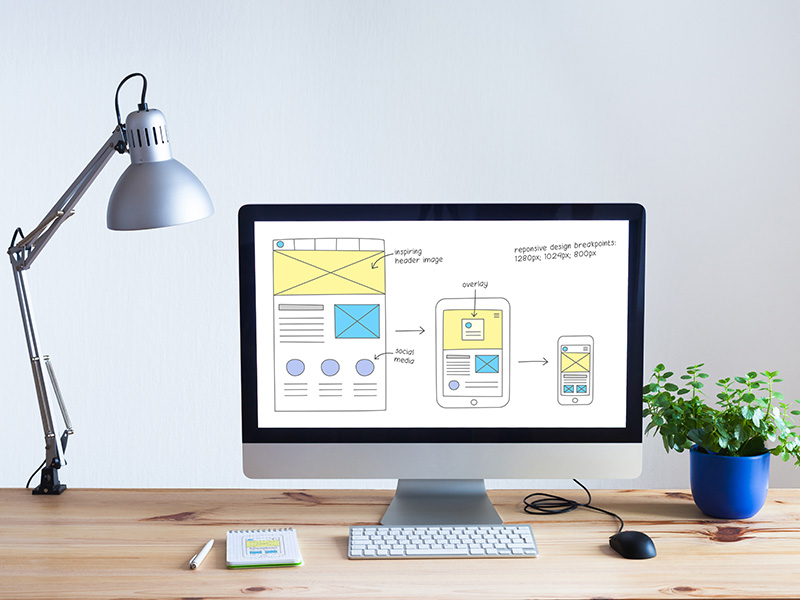
What UX/UI Design Means
UX (User Experience) is how your site works for real people—how quickly they find what they came for, how confident they feel while browsing, and how frictionless it is to take action.
UI (User Interface) is what users see and interact with—layout, visual hierarchy, spacing, buttons, forms, and the on-screen patterns that make a website feel professional and intuitive.
When UX and UI are aligned, your site becomes easier to use and more persuasive from the first click.
Information Architecture: The Backbone of UX
If a website’s content isn’t organized logically, even great design won’t save it. Information architecture is the behind-the-scenes structure that supports a better experience—how pages are grouped, labeled, and connected so users can discover information naturally and move through your site without getting lost.
Common Problems UX/UI Fixes
- Users can’t find key information (services, pricing, contact, FAQs)
- Navigation feels cluttered or confusing
- Pages look “busy,” but don’t guide users toward the next step
- Mobile layouts feel cramped, jumpy, or hard to tap
- Forms don’t get completed (too much friction, unclear fields)
- Bounce rate is high because the first screen doesn’t communicate value
Our UX/UI Design Services
UX Strategy and User Experience Design
- Site structure and page hierarchy planning
- Clear navigation patterns and user flows
- Content organization and labeling improvements
- Layout strategy that supports readability and decision-making
User Interface (UI) Design
- Visual hierarchy (what users notice first, second, third)
- Interface layout and spacing for clarity
- Buttons, forms, and calls-to-action that are easy to understand
- Consistent design patterns that build trust and familiarity
Usability and Navigation Improvements
- Reduce confusion and dead-ends
- Improve discoverability of key content
- Make “next steps” obvious without being pushy
- Streamline pages so the site feels faster and more focused
(If you want this page to link out to your existing service pages, you can add a small “Related Services” block linking to Custom Web Design, WordPress, Ecommerce, and Web Development.)
How We Approach UX/UI Projects
- Identify what visitors need and where they’re getting stuck
- Map a cleaner structure (pages, sections, navigation) so content is easy to find
- Design interfaces that communicate clearly and feel intuitive from the first click
- Keep the experience consistent across devices
- Align design decisions with business outcomes (leads, calls, purchases)
What You Get
- A clearer website structure and navigation plan
- UX/UI recommendations you can implement immediately
- Page layout direction that improves clarity and flow
- Interface improvements that elevate credibility and engagement
- A site experience designed to help users take action
Who This Is For
- Businesses with an outdated site that “works,” but doesn’t convert
- Companies adding new services and outgrowing their current structure
- Sites with lots of content but no clear path for users
- Ecommerce stores that need better browsing and checkout flow
- B2B/service businesses where trust and clarity drive leads
Ready to Improve Your Website Experience?
If your website feels hard to use, hard to navigate, or visually inconsistent, UX/UI design is usually the fastest way to make a measurable difference. Let’s talk through what’s happening, what you want to achieve, and the best path forward.
Call 303-424-2522 or book a call.
UX/UI Design FAQs
Is UX the same thing as UI?
No—UX is the overall experience and usability; UI is the interface and visual patterns users interact with. Strong websites need both working together.
Can UX/UI improvements help SEO?
Indirectly, yes. Better structure and clearer navigation can improve how users engage with content and how easily key pages are discovered.
Do you do UX/UI for existing sites or only new builds?
Both. UX/UI work can be applied to redesigns, partial improvements, or as part of a full rebuild.
What’s the quickest win you usually see?
Clearer page hierarchy, better navigation labels, and stronger visual hierarchy on key pages often lead to rapid improvements in user flow and conversions.