


Getting a website right is one of the smartest moves a small business can make. Even a basic website needs strategic development to support growth and SEO efforts. Creating a Business Web Design for a small business gives you a flexible, approachable platform that scales as your company grows.
This guide walks you through the practical steps of planning, building, and improving a WordPress site—focused on the needs of small businesses. It will help you build WordPress websites tailored to your specific business needs, from theme selection to ongoing support. WordPress allows business owners to manage content without coding knowledge, making it accessible for non-technical users. You’ll get clear guidance on why WordPress works, how to choose themes and plugins, basic SEO tactics, and how to budget for setup and upkeep, including launching a new website and how the WordPress platform supports both beginners and those looking to scale. Many owners get bogged down by technical details and visibility challenges; this guide cuts through the noise and delivers actionable advice you can use now to create a website that supports growth.
WordPress is the most popular content management system, powering nearly 43% of all websites.
Introduction to Custom WordPress Web Design for Small Business
Custom WordPress web design is a powerful way for small businesses to build a professional, effective online presence. Unlike generic templates, custom WordPress websites are tailored to reflect your unique brand identity and business goals. This personalized approach ensures your WordPress site stands out in a crowded market, making a strong impression on your target audience from the very first visit.
For small business owners, investing in a custom WordPress design means you can showcase your products or services in a way that truly resonates with your customers. A custom WordPress website is built with your specific needs in mind, offering flexibility in layout, features, and functionality. This not only enhances your website’s visibility but also supports your marketing efforts and business growth.
By leveraging the versatility of WordPress, small businesses can create a robust platform that adapts as they evolve. Whether you’re looking to launch a new service, highlight customer testimonials, or integrate marketing tools, a custom WordPress site gives you the control and scalability you need. Ultimately, a well-designed WordPress website is more than just a digital brochure—it’s a strategic asset that helps you connect with your audience and achieve your business objectives.
Why Choose WordPress for Your Small Business Website?
WordPress is a versatile content management system that fits small businesses because it’s flexible, widely supported, and cost-effective. Content management systems like WordPress make it easy for small businesses to update and manage their websites, ensuring content stays fresh and relevant. With thousands of themes and plugins, you can craft a site that matches your brand and adds features as needed. As a website builder, WordPress allows customization to meet your specific business needs, from design to functionality. WordPress also plays well with search engines, helping your site get found. For many businesses, it’s the practical balance of power and simplicity.
WordPress is the most popular content management system, powering over 40% of websites.
What Are the Key Benefits of WordPress for Small Businesses?
- User-Friendly Interface: The dashboard is straightforward, so you can update pages and posts without deep technical skills. You can make changes to your WordPress site without any coding knowledge, making it accessible for small business owners to manage their content easily.
- Large Community Support: A strong developer and user community means lots of tutorials, plugins, and troubleshooting help.
- Extensive Plugin Options: From SEO to e-commerce, plugins add features quickly so your site can grow with your business.
Those advantages translate into a website that’s easier to manage and more effective at reaching customers.
How Does WordPress Support Scalability and Customization?
WordPress is built to scale with your needs. Start with shared hosting and move to VPS or managed plans as traffic grows—your site can expand without a complete rebuild. Custom WordPress websites are designed to be scalable, allowing your business to grow without expensive rebuilds. They can also integrate essential business functions like lead capture and performance analytics directly into their architecture.
Customization comes through themes and plugins, letting you tailor design and functionality. Bespoke WordPress websites are tailor-made to meet the unique needs of different industries and business types, enhancing brand identity and user engagement. You can adopt a custom WordPress theme that matches your brand for unique branding and improved performance, add contact forms, photo galleries, or a shop via plugins, and change features as your priorities shift. In short, your site can evolve as your business does.
How to Plan and Build a WordPress Website for Small Business Success
Building a WordPress website for business requires planning and clear goals. It’s essential to align your website with your overall marketing strategy to maximize brand visibility and drive business growth. Working with a professional web designer or website developer can help ensure your site is built to high standards and meets your unique needs. Custom WordPress web design services provide end-to-end solutions for small businesses, handling everything from strategy to launch. A straightforward process keeps development focused and helps your site deliver results.
What Are the Essential Steps to Plan Your WordPress Website?
- Define Business Goals: Decide what success looks like—more bookings, leads, sales, or brand awareness.
- Identify Target Audience: Know who your customers are and what they expect from your site.
- Research Competitors: Study competitors to spot opportunities and avoid their mistakes.
These steps give you a practical blueprint to guide design and content decisions.
How to Select the Right Domain, Hosting, and Setup Options?
Picking the right domain and hosting sets the foundation for performance and reliability. Keep these tips in mind:
- Domain Name Importance: Choose a domain that’s easy to remember, clearly tied to your business, and simple to spell.
- Types of Hosting Services: Compare shared, VPS, and dedicated options based on traffic expectations and budget.
- Setup Considerations: Prefer hosts with one-click WordPress installs, good uptime, responsive support, and a free SSL certificate to secure your site and build trust with visitors. Implementing an SSL certificate (HTTPS) is essential for securing WordPress sites and reassuring your visitors that their data is protected.
Getting these elements right at the start reduces headaches later and keeps your site stable.
Creating a Business Stand: Establishing Your Unique Online Presence
In today’s digital-first world, establishing a unique online presence is essential for small businesses aiming to thrive and grow. A custom WordPress website is the foundation for building a memorable online presence that captures your brand’s personality and values. By focusing on custom WordPress design, you can create a site that not only looks professional but also speaks directly to your target audience.
Search engine optimization (SEO) is a key part of this process. By implementing SEO best practices from the start, your WordPress site becomes more visible to search engines, making it easier for potential customers to find you. This increased website visibility translates into more traffic, higher engagement, and greater opportunities for business growth.
A professional website also builds trust and credibility, showing visitors that your business is established and reliable. With a custom WordPress website, you can seamlessly integrate marketing campaigns, highlight your unique selling points, and encourage visitors to take action—whether that’s making a purchase, booking a service, or signing up for your newsletter. By investing in a strong online presence, small businesses can set themselves apart from the competition and create lasting connections with their audience.
Which WordPress Themes and Design Practices Best Serve Small Businesses?
Design affects how people perceive your brand and how easily they use your site. Professional website design and a well-planned site’s layout are crucial for user experience and brand perception. The right theme and clean design choices make a big difference.
How to Choose Responsive and Brand-Aligned WordPress Themes?
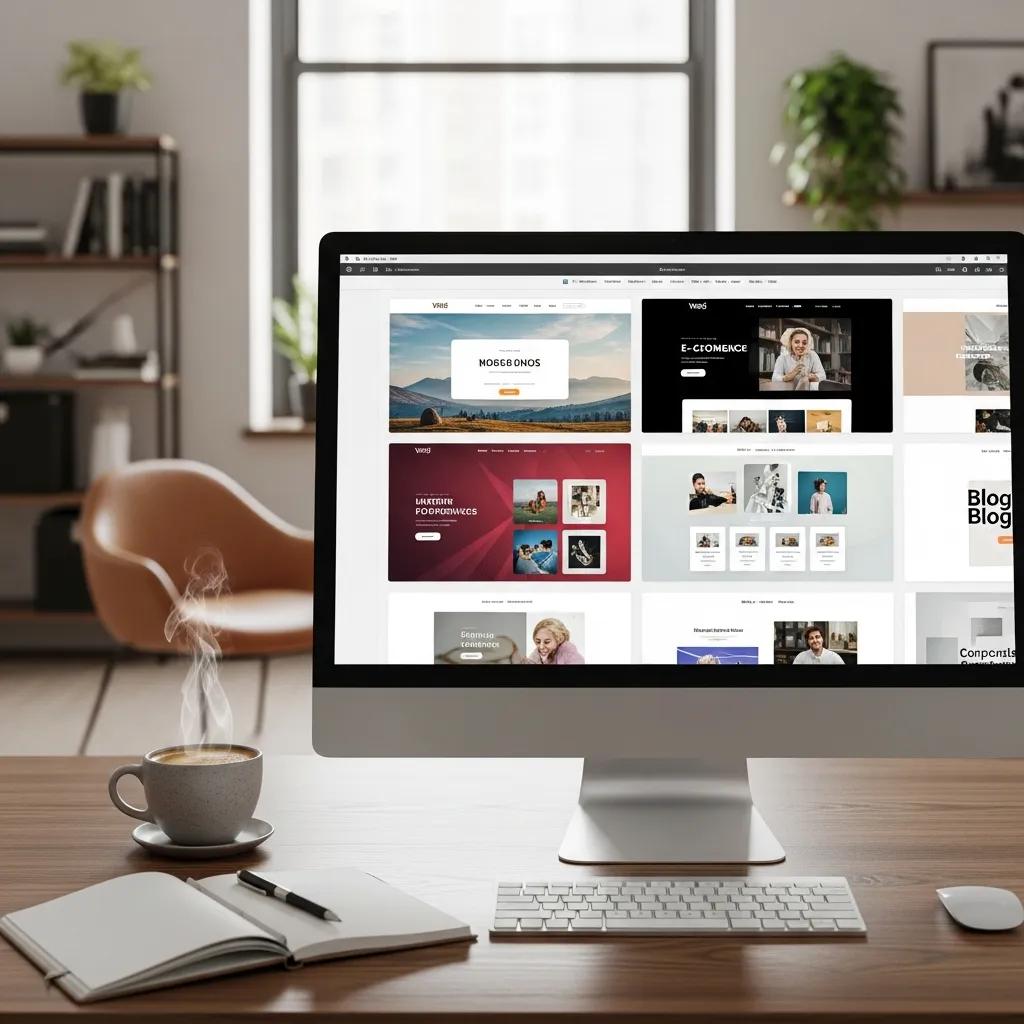
When you pick a theme, focus on these practical criteria:
- Responsive Design Features: Make sure the theme adapts well to phones and tablets—most visitors will use mobile.
- Customization Options: Look for themes that let you adjust colors, fonts, and layouts without code.
- Brand Representation: Choose a visual style that reflects your values and speaks to your customers.
A thoughtful theme choice improves engagement and keeps visitors on the page.
What are the Best UI/UX Principles for Small Business Websites?
Good UI/UX helps visitors find what they need quickly. Focus on these principles:
- Navigation Simplicity: Keep menus clear and predictable so users don’t get lost.
- Visual Hierarchy: Use size, color, and spacing to highlight important information and calls to action.
- Call-to-Action Effectiveness: Place CTAs where they’re easy to find and use language that tells people exactly what to do.
Applying these principles creates a smoother experience that converts better.
What Essential WordPress Plugins Enhance Small Business Website Functionality?
Plugins extend WordPress’s core in ways that matter for business—security, search visibility, speed, and selling online. Additionally, plugins can support email marketing efforts, helping small businesses enhance customer engagement and lead generation through campaign management and automation.
Which SEO, Security, and E-commerce Plugins Are Must-Haves?
Here are widely used plugins that cover common needs:
- SEO Plugins: Tools like Yoast SEO help you optimize content and meta information to rank better.
- Security Plugins: Solutions such as Wordfence monitor threats and harden your site.
- E-commerce Solutions: WooCommerce provides a reliable framework for selling products or services online.
These plugins add essential features without reinventing the wheel.
How Do Plugins Improve User Experience and Website Performance?
The right plugins enhance speed, engagement, and insight:
- Speed Optimization: Caching and optimization plugins reduce load times and improve user satisfaction. Optimizing your site in this way can also boost your search engine rankings by meeting key performance and quality criteria.
- User Engagement Features: Plugins for contact forms, live chat, and sharing encourage interaction.
- Analytics Integration: Tools that connect to Google Analytics or similar services give you data to improve the site.
Use plugins selectively and keep them up to date to maintain performance and security. Ongoing maintenance is essential to keep your website secure and performing optimally, which is a standard part of professional WordPress design services.
How to Optimize Your WordPress Website for Small Business SEO and Local Visibility?
SEO and local search are core channels through which small businesses attract customers online. Optimizing your website can significantly improve its search engine rankings, increasing visibility and attracting more organic traffic. SEO-friendly WordPress design services incorporate best practices to help websites rank higher in search engine results. A high-quality website is a fundamental requirement for success in digital marketing, serving as the foundation for all online efforts. A mix of on-page, technical, and local tactics gets results.
What On-Page and Technical SEO Strategies Boost Rankings?

Targeted on-page and technical steps can raise your visibility in search:
- Keyword Optimization: Research the terms customers use and weave them naturally into your content.
- Meta Tags Importance: Write clear, compelling meta titles and descriptions to improve click-throughs.
- Site Speed Factors: Compress images and enable caching so pages load quickly.
These foundations help your site rank better and deliver a stronger user experience.
How to Leverage Local SEO and Google Business Profile Effectively?
Local SEO brings nearby customers to your door. Try these practical moves:
- Local Keyword Targeting: Add city- and neighborhood-specific phrases in your copy and page titles.
- Profile Optimization Tips: Keep your Google Business Profile up to date—hours, address, photos, and services matter.
- Customer Review Strategies: Ask happy customers for reviews and respond to them—reviews boost trust and local rankings.
Focusing on local SEO helps you stand out to customers who are ready to buy in your area.
Working with a WordPress Design Agency
Partnering with a WordPress design agency can make all the difference when it comes to building a custom WordPress website that truly delivers results. A professional agency brings expertise in website development, ensuring your site is not only visually appealing but also aligned with your business objectives and optimized for performance. Many custom WordPress design services offer training sessions to help clients manage their websites post-launch.
Custom WordPress design services often include a dedicated project manager to guide clients through the design process. This means you have a single point of contact who understands your vision and keeps your project on track. The agency’s team of experienced developers will handle the technical details, so you can focus on running your business.
In addition to building your custom WordPress website, a reputable agency can recommend reliable hosting providers, set up ongoing maintenance, and provide support as your needs evolve. This comprehensive approach ensures your website remains secure, up-to-date, and ready to support your business as it grows. For small businesses looking to make a big impact online, working with a WordPress design agency is a smart investment in long-term success.
Launching Your Business Website
Launching your business website is a major milestone—and with WordPress, it’s easier and faster than you might think. By following a clear, step-by-step process, small businesses can go from concept to live site in just a few hours.
Start by selecting a memorable domain name that reflects your brand, then choose a web hosting provider that offers strong performance and support. Next, pick a WordPress theme that fits your business style and customize your site’s layout to match your vision. Add high-quality content, including engaging text, images, and videos that tell your story and showcase your offerings.
Before going live, optimize your website for search engines using on-page SEO techniques—this helps your site rank higher and attract more visitors. Once everything is in place, launch your website and connect Google Analytics to track your traffic and understand your audience’s behavior.
With your new business website online, you’re ready to build a strong online presence, reach new customers, and drive business growth. By leveraging the power of WordPress and following best practices, small businesses can create a website that not only looks great but also delivers real results.
What Is the Cost of a WordPress Website for Small Business and How to Budget?
Knowing the likely costs for building and running a WordPress site helps you plan and avoid surprises.
How Do DIY and Professional WordPress Website Costs Compare?
Two common paths have different trade-offs:
- DIY Costs: Doing it yourself lowers upfront fees—your main costs are hosting, a domain, and any premium themes or plugins.
- Professional Services: Hiring a designer or developer costs more up front but saves time and delivers polish. Prices range widely depending on scope.
Compare your budget, timeline, and skillset to choose the right approach.
What Are Ongoing Maintenance and Hosting Expenses to Consider?
Ongoing expenses keep your site fast and secure:
- Hosting Fees: Monthly or annual hosting varies by plan—managed WordPress hosting costs more but includes maintenance perks.
- Maintenance Service Costs: If you hire maintenance help, factor in routine updates, backups, and support.
- Budgeting for Updates: Plan for periodic theme, plugin, and WordPress updates to avoid security gaps and compatibility issues.
Understanding these costs helps you set a realistic, sustainable budget for your site.
| Strategy | Attribute | Value |
|---|---|---|
| SEO Optimization | Keyword Research | Increases organic traffic |
| Responsive Design | Mobile Compatibility | Enhances user experience |
| Security Measures | Regular Backups | Protects against data loss |
| Plugin Type | Plugin Name | Key Feature |
|---|---|---|
| SEO | Yoast SEO | Content optimization |
| Security | Wordfence | Firewall protection |
| E-commerce | WooCommerce | Online store setup |
Follow the practical steps in this guide, and your WordPress site can become a dependable tool for attracting customers and supporting growth. With the right strategy, tools, and a sensible budget, your website will work harder for your business.
DIY vs. Professional WordPress Design Services
- The gap between DIY solutions and professional WordPress design services has widened as businesses seek more strategic and scalable options.
- DIY website solutions can lead to technical difficulties that consume time and resources for small business owners.
- Many small businesses see a positive return on investment from professional WordPress design within 6-12 months.
- Investing in professional WordPress design can save small businesses money over time by avoiding costly redesigns and lost revenue due to poor performance.
- DIY website solutions often lack the strategic design and optimization that professional services provide.
Frequently Asked Questions
What are the best practices for maintaining a WordPress website?
Maintain your site by keeping WordPress core, themes, and plugins up to date to close security gaps. Use automated backups so you can restore quickly if something goes wrong. Monitor performance using analytics and speed tests, and regularly optimize images and your database. Engage visitors through comments and social channels to keep content fresh. Regular maintenance improves stability, user experience, and search rankings.
How can I improve my website’s loading speed?
Speed matters for users and search engines. Start by compressing and resizing images, enable a caching plugin to serve pages faster, and minify CSS and JavaScript files. Consider a Content Delivery Network (CDN) to serve content from locations near your visitors. Test with tools such as Google PageSpeed Insights and follow its prioritized recommendations to improve performance.
What are the key elements of effective website content for small businesses?
Effective content speaks directly to your customers. Lead with a clear value proposition, use headings and bullets for skimmability, and include calls to action that tell visitors the next step. Add images and short videos to build trust and engagement. Write with relevant keywords in mind, but keep language natural—helpful, concise content converts better and ranks more consistently.
How can I ensure my WordPress site is secure?
Security starts with a good host and continues with strong passwords and two-factor authentication. Install a reputable security plugin to scan for and block threats, and keep everything up to date. Use SSL to encrypt data and set up regular backups so you can recover quickly. Adopt the principle of least privilege for user accounts and audit them periodically.
What role does mobile optimization play in web design?
Mobile optimization is essential—many visitors use phones or tablets. Ensure your layout is responsive, prioritize fast loading, and make buttons easy to tap. Google favors mobile-friendly sites in search results, so mobile-first design improves both usability and visibility. A smooth mobile experience reduces bounce rates and increases conversions.
How can I effectively use social media to drive traffic to my WordPress site?
Share content that adds value—how-tos, product highlights, and customer stories—paired with eye-catching images or short videos. Use clear headlines and links back to relevant pages. Engage with followers by responding to comments and messages, and experiment with targeted ads to amplify reach. Track which posts drive traffic and double down on what works.
Conclusion
WordPress gives small businesses a practical platform to build a polished, flexible website without breaking the bank. Its ease of use, customization options, and SEO friendliness make it a strong choice for growth. Use the strategies in this guide—plan clearly, choose the right tools, and budget for maintenance—to build a site that supports your goals. Ready to move forward? Explore our resources and tools designed for small businesses and start building a WordPress site that earns results. If you’re looking for professional WordPress design in Denver, there are local experts who can help elevate your online presence. They understand the unique needs of businesses in the area and can tailor designs that reflect your brand’s identity. Investing in quality design can significantly enhance user experience and drive traffic to your site, ultimately contributing to your business’s success.
Getting a website right is one of the smartest moves a small business can make. Even a basic website needs strategic development to support growth and SEO efforts. Creating a Business Web Design for Small Business gives you a flexible, approachable platform that scales as your company grows.
This guide walks you through the practical steps of planning, building, and improving a WordPress site—focused on the needs of small businesses. It will help you build WordPress websites tailored to your specific business needs, from theme selection to ongoing support. WordPress allows business owners to manage content without coding knowledge, making it accessible for non-technical users. You’ll get clear guidance on why WordPress works, how to choose themes and plugins, basic SEO tactics, and how to budget for setup and upkeep, including launching a new website and how the WordPress platform supports both beginners and those looking to scale. Many owners get bogged down by technical details and visibility challenges; this guide cuts through the noise and delivers actionable advice you can use now to create a website that supports growth.
WordPress is the most popular website platform, powering nearly 43% of all websites.
Introduction to Custom WordPress Web Design for Small Business
Custom WordPress web design is a powerful way for small businesses to create a professional and effective online presence. Unlike generic templates, custom WordPress websites are tailored to reflect your unique brand identity and business goals. This personalized approach ensures your WordPress site stands out in a crowded market, making a strong impression on your target audience from the very first visit.
For small business owners, investing in custom WordPress design means you can showcase your products or services in a way that truly resonates with your customers. A custom WordPress website is built with your specific needs in mind, offering flexibility in layout, features, and functionality. This not only enhances your website’s visibility but also supports your marketing efforts and business growth.
By leveraging the versatility of WordPress, small businesses can create a robust platform that adapts as they evolve. Whether you’re looking to launch a new service, highlight customer testimonials, or integrate marketing tools, a custom WordPress site gives you the control and scalability you need. Ultimately, a well-designed WordPress website is more than just a digital brochure—it’s a strategic asset that helps you connect with your audience and achieve your business objectives.
Why Choose WordPress for Your Small Business Website?
WordPress is a versatile content management system that fits small businesses because it’s flexible, widely supported, and cost-effective. Content management systems like WordPress make it easy for small businesses to update and manage their websites, ensuring content stays fresh and relevant. With thousands of themes and plugins, you can craft a site that matches your brand and adds features as needed. As a website builder, WordPress allows customization to meet your specific business needs, from design to functionality. WordPress also plays well with search engines, helping your site get found. For many businesses, it’s the practical balance of power and simplicity.
WordPress is the most popular content management system, powering over 40% of websites.
What Are the Key Benefits of WordPress for Small Businesses?
- User-Friendly Interface: The dashboard is straightforward, so you can update pages and posts without deep technical skills. You can make changes to your WordPress site without any coding knowledge, making it accessible for small business owners to manage their content easily.
- Large Community Support: A strong developer and user community means lots of tutorials, plugins, and troubleshooting help.
- Extensive Plugin Options: From SEO to e-commerce, plugins add features quickly so your site can grow with your business.
Those advantages translate into a website that’s easier to manage and more effective at reaching customers.
How Does WordPress Support Scalability and Customization?
WordPress is built to scale with your needs. Start with shared hosting and move to VPS or managed plans as traffic grows—your site can expand without a complete rebuild. Custom WordPress websites are designed to be scalable, allowing your business to grow without expensive rebuilds. They can also integrate essential business functions like lead capture and performance analytics directly into their architecture.
Customization comes through themes and plugins, letting you tailor design and functionality. Bespoke WordPress websites are tailor-made to meet the unique needs of different industries and business types, enhancing brand identity and user engagement. You can adopt a custom WordPress theme that matches your brand for unique branding and improved performance, add contact forms, photo galleries, or a shop via plugins, and change features as your priorities shift. In short, your site can evolve as your business does.
How to Plan and Build a WordPress Website for Small Business Success
Building a WordPress website for business requires planning and clear goals. It’s essential to align your website with your overall marketing strategy to maximize brand visibility and drive business growth. Working with a professional web designer or website developer can help ensure your site is built to high standards and meets your unique needs. Custom WordPress web design services provide end-to-end solutions for small businesses, handling everything from strategy to launch. A straightforward process keeps development focused and helps your site deliver results.
What Are the Essential Steps to Plan Your WordPress Website?
- Define Business Goals: Decide what success looks like—more bookings, leads, sales, or brand awareness.
- Identify Target Audience: Know who your customers are and what they expect from your site.
- Research Competitors: Study competitors to spot opportunities and avoid their mistakes.
These steps give you a practical blueprint to guide design and content decisions.
How to Select the Right Domain, Hosting, and Setup Options?
Picking the right domain and hosting sets the foundation for performance and reliability. Keep these tips in mind:
- Domain Name Importance: Choose a domain that’s easy to remember, clearly tied to your business, and simple to spell.
- Types of Hosting Services: Compare shared, VPS, and dedicated options based on traffic expectations and budget.
- Setup Considerations: Prefer hosts with one-click WordPress installs, good uptime, responsive support, and a free SSL certificate to secure your site and build trust with visitors. Implementing an SSL certificate (HTTPS) is essential for securing WordPress sites and reassuring your visitors that their data is protected.
Getting these elements right at the start reduces headaches later and keeps your site stable.
Creating a Business Stand: Establishing Your Unique Online Presence
In today’s digital-first world, establishing a unique online presence is essential for small businesses aiming to thrive and grow. A custom WordPress website is the foundation for building a memorable online presence that captures your brand’s personality and values. By focusing on custom WordPress design, you can create a site that not only looks professional but also speaks directly to your target audience.
Search engine optimization (SEO) is a key part of this process. By implementing SEO best practices from the start, your WordPress site becomes more visible to search engines, making it easier for potential customers to find you. This increased website visibility translates into more traffic, higher engagement, and greater opportunities for business growth.
A professional website also builds trust and credibility, showing visitors that your business is established and reliable. With a custom WordPress website, you can seamlessly integrate marketing campaigns, highlight your unique selling points, and encourage visitors to take action—whether that’s making a purchase, booking a service, or signing up for your newsletter. By investing in a strong online presence, small businesses can set themselves apart from the competition and create lasting connections with their audience.
Which WordPress Themes and Design Practices Best Serve Small Businesses?
Design affects how people perceive your brand and how easily they use your site. Professional website design and a well-planned site’s layout are crucial for user experience and brand perception. The right theme and clean design choices make a big difference.
How to Choose Responsive and Brand-Aligned WordPress Themes?
When you pick a theme, focus on these practical criteria:
- Responsive Design Features: Make sure the theme adapts well to phones and tablets—most visitors will use mobile.
- Customization Options: Look for themes that let you adjust colors, fonts, and layouts without code.
- Brand Representation: Choose a visual style that reflects your values and speaks to your customers.
A thoughtful theme choice improves engagement and keeps visitors on the page.
What Are Best UI/UX Principles for Small Business Websites?
Good UI/UX helps visitors find what they need quickly. Focus on these principles:
- Navigation Simplicity: Keep menus clear and predictable so users don’t get lost.
- Visual Hierarchy: Use size, color, and spacing to highlight important information and calls to action.
- Call-to-Action Effectiveness: Place CTAs where they’re easy to find and use language that tells people exactly what to do.
Applying these principles creates a smoother experience that converts better.
What Essential WordPress Plugins Enhance Small Business Website Functionality?
Plugins extend WordPress’s core in ways that matter for business—security, search visibility, speed, and selling online. Additionally, plugins can support email marketing efforts, helping small businesses enhance customer engagement and lead generation through campaign management and automation.
Which SEO, Security, and E-commerce Plugins Are Must-Haves?
Here are widely used plugins that cover common needs:
- SEO Plugins: Tools like Yoast SEO help you optimize content and meta information to rank better.
- Security Plugins: Solutions such as Wordfence monitor threats and harden your site.
- E-commerce Solutions: WooCommerce provides a reliable framework for selling products or services online.
These plugins add essential features without reinventing the wheel.
How Do Plugins Improve User Experience and Website Performance?
The right plugins enhance speed, engagement, and insight:
- Speed Optimization: Caching and optimization plugins reduce load times and improve user satisfaction. Optimizing your site in this way can also boost your search engine rankings by meeting key performance and quality criteria.
- User Engagement Features: Plugins for contact forms, live chat, and sharing encourage interaction.
- Analytics Integration: Tools that connect to Google Analytics or similar services give you data to improve the site.
Use plugins selectively and keep them updated to maintain performance and security. Ongoing maintenance is essential to keep your website secure and performing optimally, which is a standard part of professional WordPress design services.
How to Optimize Your WordPress Website for Small Business SEO and Local Visibility?
SEO and local search are core ways small businesses attract customers online. Optimizing your website can significantly improve its position in search engine results, increasing visibility and attracting more organic traffic. SEO-friendly WordPress design services incorporate best practices to help websites rank higher in search engine results. A quality website is a baseline necessity for success in digital marketing, serving as the foundation for all online efforts. A mix of on-page, technical, and local tactics gets results.
What On-Page and Technical SEO Strategies Boost Rankings?
Targeted on-page and technical steps can raise your visibility in search:
- Keyword Optimization: Research the terms customers use and weave them naturally into your content.
- Meta Tags Importance: Write clear, compelling meta titles and descriptions to improve click-throughs.
- Site Speed Factors: Compress images and enable caching so pages load quickly.
These foundations help your site rank better and deliver a stronger user experience.
How to Leverage Local SEO and Google Business Profile Effectively?
Local SEO brings nearby customers to your door. Try these practical moves:
- Local Keyword Targeting: Add city- and neighborhood-specific phrases in your copy and page titles.
- Profile Optimization Tips: Keep your Google Business Profile up to date—hours, address, photos, and services matter.
- Customer Review Strategies: Ask happy customers for reviews and respond to them—reviews boost trust and local rankings.
Focusing on local SEO helps you stand out to customers who are ready to buy in your area.
Working with a WordPress Design Agency
Partnering with a WordPress design agency can make all the difference when it comes to building a custom WordPress website that truly delivers results. A professional agency brings expertise in website development, ensuring your site is not only visually appealing but also aligned with your business objectives and optimized for performance. Many custom WordPress design services offer training sessions to help clients manage their websites post-launch.
Custom WordPress design services often include a dedicated project manager to guide clients through the design process. This means you have a single point of contact who understands your vision and keeps your project on track. The agency’s team of experienced developers will handle the technical details, so you can focus on running your business.
In addition to building your custom WordPress website, a reputable agency can recommend reliable hosting providers, set up ongoing maintenance, and provide support as your needs evolve. This comprehensive approach ensures your website remains secure, up-to-date, and ready to support your business as it grows. For small businesses looking to make a big impact online, working with a WordPress design agency is a smart investment in long-term success.
Launching Your Business Website
Launching your business website is a major milestone—and with WordPress, it’s easier and faster than you might think. By following a clear, step-by-step process, small businesses can go from concept to live site in just a few hours.
Start by selecting a memorable domain name that reflects your brand, then choose a web hosting provider that offers strong performance and support. Next, pick a WordPress theme that fits your business style and customize your site’s layout to match your vision. Add high-quality content, including engaging text, images, and videos that tell your story and showcase your offerings.
Before going live, optimize your website for search engines using on-page SEO techniques—this helps your site rank higher and attract more visitors. Once everything is in place, launch your website and connect Google Analytics to track your traffic and understand your audience’s behavior.
With your new business website online, you’re ready to build a strong online presence, reach new customers, and drive business growth. By leveraging the power of WordPress and following best practices, small businesses can create a website that not only looks great but also delivers real results.
What Is the Cost of a WordPress Website for Small Business and How to Budget?
Knowing the likely costs for building and running a WordPress site helps you plan and avoid surprises.
How Do DIY and Professional WordPress Website Costs Compare?
Two common paths have different trade-offs:
- DIY Costs: Doing it yourself lowers upfront fees—your main costs are hosting, a domain, and any premium themes or plugins.
- Professional Services: Hiring a designer or developer costs more up front but saves time and delivers polish. Prices range widely depending on scope.
Compare your budget, timeline, and skillset to choose the right approach.
What Are Ongoing Maintenance and Hosting Expenses to Consider?
Ongoing expenses keep your site fast and secure:
- Hosting Fees: Monthly or annual hosting varies by plan—managed WordPress hosting costs more but includes maintenance perks.
- Maintenance Service Costs: If you hire maintenance help, factor in routine updates, backups, and support.
- Budgeting for Updates: Plan for periodic theme, plugin, and WordPress updates to avoid security gaps and compatibility issues.
Understanding these costs helps you set a realistic, sustainable budget for your site.
| Strategy | Attribute | Value |
|---|---|---|
| SEO Optimization | Keyword Research | Increases organic traffic |
| Responsive Design | Mobile Compatibility | Enhances user experience |
| Security Measures | Regular Backups | Protects against data loss |
| Plugin Type | Plugin Name | Key Feature |
|---|---|---|
| SEO | Yoast SEO | Content optimization |
| Security | Wordfence | Firewall protection |
| E-commerce | WooCommerce | Online store setup |
Follow the practical steps in this guide and your WordPress site can become a dependable tool for attracting customers and supporting growth. With the right strategy, tools, and a sensible budget, your website will work harder for your business.
DIY vs. Professional WordPress Design Services
- The gap between DIY solutions and professional WordPress design services has widened as businesses seek more strategic and scalable options.
- DIY website solutions can lead to technical difficulties that consume time and resources for small business owners.
- Many small businesses see a positive return on investment from professional WordPress design within 6-12 months.
- Investing in professional WordPress design can save small businesses money in the long run by avoiding costly redesigns and lost revenue from poor performance.
- DIY website solutions often lack the strategic design and optimization that professional services provide.
Frequently Asked Questions
Question: What should be on my pre‑launch checklist before I take my WordPress site live?
Short answer: Confirm your domain and hosting are correctly configured, enable SSL (HTTPS), and verify your theme is responsive on phones and tablets. Add core content with clear calls to action, apply on-page SEO (descriptive titles, meta descriptions, proper headings, image alt text), and optimize speed with compressed images and caching. Test all forms, live chat, and (if applicable) checkout flows, then activate a reputable security plugin and automated backups. Finally, connect Google Analytics to track performance from day one.
Question: How does WordPress scale as my business grows, and when should I upgrade hosting?
Short answer: WordPress lets you start small and move from shared hosting to VPS or managed WordPress plans without rebuilding your site. Consider upgrading when you see persistent slowdowns after basic optimization, get resource warnings from your host, or plan to add heavier functionality (e-commerce, marketing automations). A scalable, custom setup can integrate lead capture and analytics from the start, so you can expand features in step with traffic and business goals.
Question: Which practical UI/UX choices will improve conversions on a small business site?
Short answer: Keep navigation simple and predictable, use visual hierarchy (size, color, spacing) to spotlight key information, and place clear, action-oriented CTAs where users naturally look. Choose a responsive, brand-aligned theme with easy customization, and maintain fast load times to reduce friction. These fundamentals make it easier for visitors to find what they need and take the next step.
Question: How do I align my website with marketing goals and measure success over time?
Short answer: Define specific goals (e.g., bookings, leads, sales, awareness), identify your target audience, and study competitors to inform positioning. Map pages and CTAs to those goals, weave researched keywords into content, and support local discovery with an optimized Google Business Profile. Use Google Analytics to track traffic and behavior, review performance regularly, and iterate on content, design, and plugins to keep improving results.
Question: How should I plan a sustainable budget for setup and ongoing upkeep?
Short answer: Budget initially for a domain, hosting (shared to start, with a path to VPS/managed), a theme or custom design/development, essential plugins, SSL (often included), and content creation. Plan ongoing funds for hosting, routine maintenance (updates, backups, support), premium plugin renewals, security, performance tuning, and ongoing SEO/content. Choose DIY or professional services based on your time and skillset—many small businesses see positive ROI from professional WordPress design within 6–12 months, and consistent maintenance keeps your site secure and effective.
Conclusion
WordPress gives small businesses a practical platform to build a polished, flexible website without breaking the bank. Its ease of use, customization options, and SEO friendliness make it a strong choice for growth. Use the strategies in this guide—plan clearly, choose the right tools, and budget for maintenance—to build a site that supports your goals. Ready to move forward? Explore our resources and tools designed for small businesses and start building a WordPress site that earns results. If you’re looking for professional WordPress design in Denver, there are local experts who can help elevate your online presence. They understand the unique needs of businesses in the area and can tailor designs that reflect your brand’s identity. Investing in quality design can significantly enhance user experience and drive traffic to your site, ultimately contributing to your business’s success.