


Introduction to Website Development
Website development is the process of building and maintaining digital platforms that help businesses connect with customers, generate leads, and drive sales. Web development refers to the process of creating websites and web applications, encompassing both design and technical aspects. In practical terms, it’s how your company shows up online—whether that means a potential customer finding your services at 2 AM, a client booking an appointment without picking up the phone, or a shopper completing a purchase from their couch.
Website development is crucial for any small business looking to establish an online presence.
The landscape has transformed dramatically since Tim Berners-Lee launched the first website in 1991. What began as static text pages has evolved into responsive, mobile-first experiences that adapt seamlessly across devices. Advances in programming languages such as JavaScript, Python, and Ruby have enabled the creation of more dynamic and interactive websites. Today, with over 60% of web traffic coming from mobile devices, modern website development demands technical precision, strategic thinking, and a relentless focus on user experience.
At SiteWired Web Solutions, we’re a Denver-based custom web development agency that builds results-driven websites for businesses ready to grow online. This article walks you through the key concepts, processes, and tools involved in creating a professional business website—whether you’re launching something new or upgrading your current digital presence.
What this article covers:
- What website development actually involves and how it differs from web design
- Why professional development matters for credibility, visibility, and revenue
- The core technologies and languages behind modern websites
- A step-by-step breakdown of the website development process
- How to choose the right approach for your business goals
What Is Website Development?
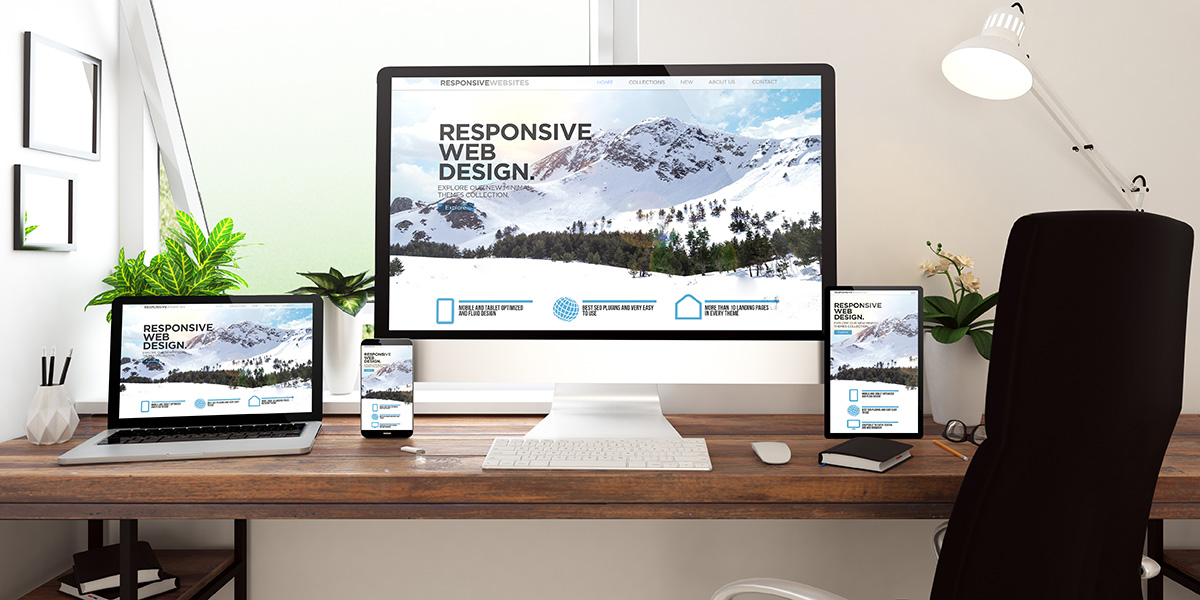
Web development is the end-to-end process of planning, building, and maintaining websites and web applications that run in a browser. Web development encompasses the creation of websites and web applications, from initial concept and strategy through launch and ongoing optimization.
Web development involves multiple layers of work that come together to create functional, user-friendly digital experiences:
- Front-end development focuses on everything users see and interact with—page layouts, buttons, forms, and all visual and interactive elements.
- Back-end development powers the invisible engine: servers, databases, user authentication, and business logic
- Full-stack development combines both sides, allowing developers to build complete features from the database to the browser
- Maintenance and optimization keep sites secure, fast, and aligned with evolving business needs
The technologies driving modern websites range from foundational languages like HTML, CSS, and JavaScript to server-side frameworks and content management systems. A programming language is a formal language used to implement website functionality; examples include JavaScript, TypeScript, C#, Java, Ruby, and Python, each serving different roles in front-end and back-end development. Whether a project uses WordPress, a custom Laravel build, or a Node.js application depends on specific business requirements, scalability needs, and budget.
One important distinction: web development focuses on the technical build and functionality, while web design centers on visual aesthetics and user experience. Both disciplines work hand in hand—you can’t have one without the other for a successful website. Website development typically requires more knowledge of coding and programming languages than web design.
Website Development vs. Web Design
Understanding the difference between development and design helps business owners communicate effectively with their teams and agencies. Here’s how the responsibilities break down:
Web developers:
- Write code using various programming languages to implement functionality
- Integrate APIs and third-party services (payment processors, CRMs, scheduling tools)
- Handle database management and server-side logic
- Optimize site performance and page load speeds
- Implement security measures and maintain technical infrastructure
Web designers:
- Create visual layouts, color schemes, and typography systems
- Focus on user interface design and branding consistency
- Develop wireframes and prototypes before coding begins
- Plan user flows and conversion paths
- Ensure designs meet accessibility standards
Consider a concrete example: a Denver plumber needs an online booking system. Web designers create the layout and visual design that match the company’s brand—colors, imagery, button styles, and form placement. The web developers then build the booking functionality, integrate it with a calendar system, set up email confirmations, and ensure it works flawlessly on mobile devices.
At SiteWired Web Solutions, collaboration between designers and developers follows a structured process: designers produce wireframes and visual mockups, and front-end and back-end developers work together to build responsive templates that bring those designs to life. Throughout this process, both teams consider accessibility requirements (WCAG compliance), mobile responsiveness, and conversion goals.
Why Website Development Matters for Your Business
In 2026, with billions of internet users worldwide, your website often serves as the first interaction a prospect has with your brand. Research consistently shows that around 94% of first impressions relate to design quality—and behind every great design is solid technical development. A well-designed website gives your business or personal brand a professional and credible image, which is important for building trust with potential customers.
Strong website development directly impacts your bottom line by improving:
- Website’s performance: Sites loading in under 3 seconds retain users; 53% abandon slower pages. Monitoring and analyzing your website’s performance through analytics and technical optimization improves user experience and SEO rankings.
- Security: Proper SSL implementation, regular updates, and vulnerability prevention protect customer data and your reputation
- User experience: Intuitive navigation and functionality guide visitors toward conversion
- Website’s visibility: Clean code, structured data, and technical SEO foundations help search engines understand and rank your content, enhancing your website’s visibility in search engine results
SiteWired builds custom, results-driven sites for Denver businesses and national clients with one goal: turning visitors into customers. That means every development decision—from hosting provider selection to code architecture—focuses on measurable business outcomes.
Increased Visibility & Reach
Well-developed websites are inherently optimized for search engines. Clean code, proper heading structure, fast load times, and mobile-friendly layouts all contribute to better search rankings.
Consider a local Denver HVAC company that previously served a single neighborhood. With proper site architecture, strategic internal linking, and mobile optimization, that same business can expand its reach across the entire Front Range—capturing organic traffic from customers searching for services in Boulder, Colorado Springs, and beyond.
Key development factors affecting visibility:
- Semantic HTML structure that search engines can easily parse
- Optimized images with proper compression and alt text
- Fast server response times through quality hosting
- Mobile-responsive layouts that pass Google’s mobile-first indexing requirements
- Clean URL structures that communicate page content
Credibility and Trust
A secure, bug-free, professionally developed site communicates reliability far more effectively than a slow, broken, or DIY experience. Website owners often underestimate how quickly visitors judge technical quality—and how that judgment affects purchasing decisions.
Trust signals that developers must implement correctly include:
- SSL certificates ensure HTTPS security (the padlock icon)
- Schema markup that enables rich results in search engines
- Consistent functionality across browsers and devices
- Professional error handling (no broken links or server errors)
- Visible security badges and verification where appropriate
For a B2B service company in Denver with a long sales cycle, a polished website becomes essential. Decision-makers spend weeks researching vendors, and every page they visit either builds or erodes confidence in your company.
24/7 Lead Generation and Sales
When properly developed, features like quote request forms, appointment scheduling, and ecommerce checkouts work around the clock—generating leads and revenue while you sleep.
A professional services firm might acquire leads overnight from out-of-state visitors who discover the site through organic search, browse service pages, and submit inquiry forms at midnight. This only happens when the technical foundation supports it:
- Contact forms with spam protection that actually deliver submissions
- CRM integrations that automatically route leads to sales teams
- Email automation confirming inquiries and nurturing prospects
- Analytics tagging that tracks conversion paths and ROI
- Reliable hosting with 99.9%+ uptime, preventing missed opportunities
The Anatomy of a Modern Business Website
Understanding the core building blocks helps business owners make informed decisions about their website development project. Here’s what comprises a modern site:
Domain name: Your web address (e.g., yourcompany.com) registered through an accredited registrar. This is your permanent digital address.
Hosting: Server space where your website files live. Options range from shared hosting for smaller sites to VPS or cloud solutions like AWS for high-traffic demands. The hypertext transfer protocol (HTTP) is the set of rules that allows browsers and servers to communicate, enabling users to access website content. HTTP ensures that both the user’s computer and the web server communicate in the same language, so requests and responses are clearly understood.
Front-end code: The HTML, CSS, and JavaScript that browsers render into web pages visitors see and interact with.
Back-end logic: Server-side code handling data processing, user authentication, database queries, and business logic.
Content management system: Platforms like WordPress that allow non-technical users to update content, add blog posts, and manage pages without writing code. Some website builders, such as Wix, offer additional features like custom domains or enhanced security through a paid plan.
Key page types most business websites include:
- Homepage establishing brand and guiding navigation
- Service or product pages detailing offerings
- About page building credibility and human connection
- Blog or resources section for online resources and thought leadership
- Contact and lead capture pages driving conversions
Supporting elements developers implement include navigation menus, footer content, XML sitemaps, robots.txt files for search engine guidance, and analytics tracking through tools like Google Analytics 4.
Popular website builders include Wix and WordPress, catering to different skill levels and needs in website development.

What Does a Website Developer Do?
A website developer’s core responsibilities span the entire lifecycle of creating and maintaining websites:
Writing and testing code: Developers spend significant time writing code in languages like HTML, CSS, and JavaScript for front-end work, plus PHP, Python, or Node.js for back-end functionality. Testing ensures everything works as intended.
Integrating services: Modern sites connect to numerous external services—payment gateways, email marketing platforms, CRMs, scheduling tools, and social media APIs.
Optimizing performance: Developers analyze and improve load times, reduce server response delays, and ensure smooth experiences across devices.
Maintaining security: Regular updates, vulnerability patches, and security monitoring protect sites from threats like SQL injection or cross-site scripting attacks.
Day-to-day tasks during a typical SiteWired project might include:
- Building responsive layouts that adapt from 5-inch phones to 27-inch monitors
- Setting up custom post types in WordPress for client-specific content
- Configuring payment gateways for an online store
- Fixing cross-browser compatibility issues
- Implementing schema markup for rich search results
After launch, developers continue supporting sites through updates, backups, uptime monitoring, and feature enhancements based on analytics insights. This ongoing work is essential for maintaining websites over time.
Types of Web Development
The web development process encompasses several specializations, each focusing on different aspects of building digital experiences:
- Front-end development handles the user-facing layer
- Back-end development manages servers, databases, and logic
- Full-stack development combines both disciplines
- Website-focused development specializes in business and marketing sites
SiteWired typically delivers full-stack custom websites, combining both the front-end and back-end expertise to meet specific business goals. While related fields like mobile app development or desktop software exist, this article centers on websites and browser-based web applications.
Front-End Development (Client Side)
Front-end web development focuses on the user-facing parts of a website or application, involving everything a visitor interacts with: layout, navigation, forms, animations, and content presentation. When you click a button, scroll through a gallery, or fill out a contact form, you’re experiencing front-end work.
Front-end developers ensure the website is visually appealing, responsive, and easy to navigate.
Front-end developers focus on three core languages for front-end development:
- Hypertext Markup Language (HTML5): Provides structure—headings, paragraphs, images, links, and form elements
- Cascading Style Sheets (CSS3): Controls visual presentation—colors, fonts, spacing, and responsive layouts
- Modern JavaScript: Adds interactivity—dropdown menus, form validation, sliders, and dynamic content
Modern front-end web developers often use frameworks like React, Vue, or Angular to build complex, app-like experiences. They also employ CSS frameworks like Tailwind or Bootstrap for efficient, consistent styling.
Front-end developers must structure the site with SEO best practices, such as improving load times, adding picture tags, optimizing schema markup, and prioritizing mobile formats.
A practical example: building a responsive pricing table that displays three service tiers. The table must look polished on a smartphone, tablet, and desktop monitor—requiring careful CSS Grid or Flexbox implementation and thorough testing across devices. Responsive design ensures websites function well on both desktop and mobile devices.
At SiteWired, front-end development also emphasizes accessibility (keyboard navigation, ARIA labels for screen readers) and performance optimization targeting Core Web Vitals metrics.
Back-End Development (Server Side)
Back-end development handles the invisible engine powering your website: servers, databases, application programming interface connections, and business logic. When a visitor submits a form, the back-end processes that data, stores it securely, and triggers appropriate responses.
Back-end developers work with technologies including:
- Server-side languages like PHP (with Laravel), Node.js, Python, or .NET
- Relational databases such as MySQL or PostgreSQL for structured data storage
- NoSQL databases like MongoDB for flexible data models
- API development connecting front-end interfaces to data sources
Consider this scenario: a visitor completes a contact form on your Denver business website. Back-end web development ensures that the submission gets:
- Validated for required fields and proper formatting
- Protected against spam through CAPTCHA or honeypot fields
- Securely stored in a database
- Sent to your CRM system
- Confirmed via automated email to the visitor
Back-end developers concentrate on security best practices, regular backups, and scalable architectures that handle growing traffic without performance degradation.
Full-Stack Development
A full-stack developer handles both front-end and back-end work, managing entire features from database to browser. This broad coding knowledge allows them to see the complete picture and solve problems efficiently.
Example: A full-stack developer at SiteWired building a complete lead capture funnel might:
- Design the database schema to store lead information
- Create API endpoints for form submissions
- Build the front-end user interface with validation
- Implement email notifications and CRM integration
- Test the entire flow across devices and browsers
For small and midsize projects, full-stack development offers advantages: faster communication (no handoffs between specialists), unified vision, and efficient problem-solving. Many businesses hire full-stack developers when they need versatility over deep specialization.
Website-Focused Development (Business & Marketing Sites)
Some developers and agencies specialize specifically in marketing and business websites rather than mobile apps, enterprise software, or embedded development. This focus allows deep expertise in what drives business results online.
SiteWired Web Solutions concentrates on custom, results-oriented sites for businesses that need:
- Strong branding and visual identity
- Search engine optimization foundations
- Conversion-focused layouts and functionality
- Scalability as the business grows
Typical builds include professional services websites for law firms or consultants, ecommerce catalogs, scheduling-based sites for service businesses, and content-rich resource hubs. This specialization benefits website owners who want a practical, revenue-focused site rather than experimental technology.

Core Web Development Languages & Technologies
Three fundamental languages power nearly every website on the internet. Business owners don’t need to master these, but understanding them helps when evaluating vendors, platforms, and proposals.
SiteWired selects technology stacks based on each project’s specific goals, budget, and scalability requirements—there’s no one-size-fits-all solution. Here’s what powers the modern web programming landscape:
HTML (Structure)
Hypertext Markup Language defines the structure of web pages—the skeleton that organizes content into headings, paragraphs, images, links, and forms. Every website starts with HTML.
HTML5 introduced semantic elements that improve both accessibility and search engine optimization:
- <header> and <footer> for page sections
- <nav> for navigation menus
- <article> and <section> for content organization
- <aside> for supplementary content
Clean, well-structured HTML makes sites easier for search engines to understand, screen readers to navigate, and developers to maintain long-term.
CSS (Presentation)
Cascading Style Sheets control visual design—colors, fonts, spacing, layouts, and responsive behavior. If HTML is the skeleton, CSS is the skin and clothing.
Modern CSS capabilities include:
- Flexbox and CSS Grid for complex, responsive layouts
- Media queries adapt designs across mobile devices, tablets, and desktops
- Custom properties (variables) for consistent brand colors and spacing
- Animations and transitions for subtle motion design
A practical application: using your brand’s specific hex colors and typography consistently across every page, component, and interactive state—ensuring visual coherence that reinforces brand recognition.
JavaScript (Interactivity)
JavaScript adds logic and interactivity to web pages, transforming static websites into dynamic experiences. Dropdown menus, image sliders, form validation, live search, and interactive dashboards all rely on JavaScript.
Modern frameworks and libraries extend JavaScript’s capabilities:
- React for building component-based user interfaces
- Vue for progressive, approachable interactivity
- jQuery (still common) for DOM manipulation and AJAX requests
Practical example: validating a quote request form in real time. As users type, JavaScript checks email format, required fields, and phone number patterns—showing helpful error messages before submission rather than frustrating page reloads.
The Website Development Process (From Idea to Launch)
A structured development process prevents missed requirements, timeline delays, and budget overruns. Here’s the typical project lifecycle SiteWired follows for every website development project:
- Planning & Discovery: Define goals, audiences, features, and success metrics
- Information Architecture & Wireframing: Map site structure and create layout blueprints
- Design & Content Creation: Develop visual designs and write optimized copy
- Development & Integration: Build the actual construction with CMS and third-party connections
- Testing, Launch & Post-Launch: Validate, deploy, and refine based on real data
Each phase builds on the previous, creating a foundation that supports quality outcomes. Let’s examine each stage in detail.
Planning & Discovery
The web development process begins with discovery—workshops or calls that define exactly what the website needs to accomplish. This phase typically takes 1-2 weeks and establishes the project foundation.
Key planning activities include:
- Goal definition: What specific outcomes does the site need to achieve? (e.g., 50 qualified leads per month, 15% increase in online sales)
- Target audience analysis: Who visits the site, what problems do they have, and what actions should they take?
- Feature prioritization: Which capabilities are essential for launch versus nice-to-have for future phases?
- Competitive review: What are Denver’s competitors and national players doing well or poorly?
- Content inventory: What existing content can be migrated, and what needs to be created?
This phase also clarifies the budget, timeline, and technical constraints. A solid understanding of requirements here prevents expensive changes during development.
Information Architecture & Wireframing
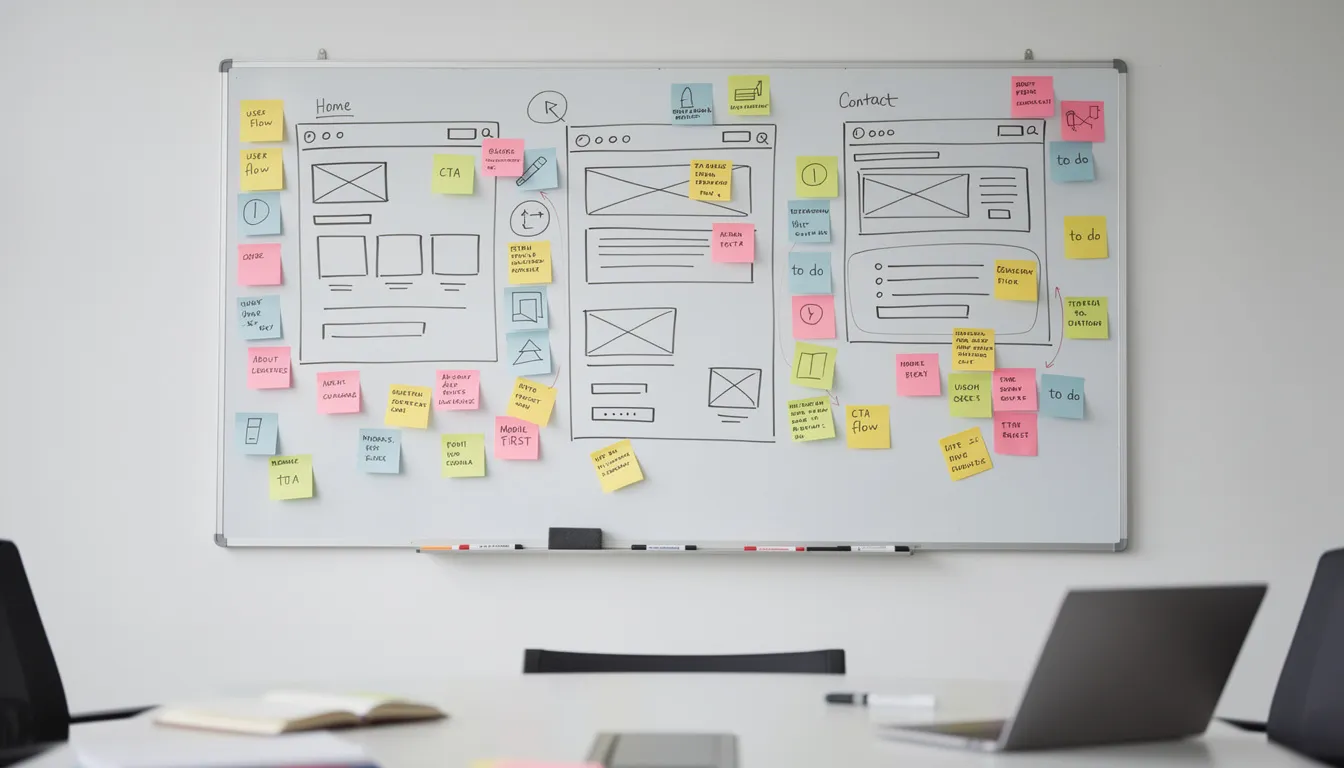
Information architecture maps out site structure: main navigation, page hierarchy, and user flows from entry to conversion. This blueprint ensures visitors can find what they need without frustration.
Activities during this phase:
- Creating sitemaps that outline every page and its relationship to others
- Defining navigation structure with logical categories and dropdowns
- Mapping user journeys (e.g., homepage → services → quote form)
- Building low-fidelity wireframes that visualize layouts without design details
Tools like Figma or Adobe XD let teams create interactive prototypes that stakeholders can click through, identifying issues before any coding begins.
Example: A 20-page site for a Denver construction company might include separate pages for each service (commercial, residential, remodeling), target industries, and service locations (Denver, Boulder, Colorado Springs). The sitemap ensures nothing gets forgotten, and the site structure supports future growth.

Design & Content Creation
Design translates wireframes into high-fidelity visuals aligned with brand guidelines. Simultaneously, content creation develops the copy, imagery, and media that will populate those designs.
Design considerations:
- Color palettes reflecting brand identity
- Typography systems for headings, body text, and accents
- Design elements like buttons, cards, and form styles
- Responsive variations for mobile, tablet, and desktop
Content creation activities:
- Writing SEO-optimized copy for key pages
- Sourcing photography (preferably real team and location photos over stock)
- Planning calls-to-action for each page
Each key page should have a clear primary action. A core service page might feature “Request a Free Quote in Denver” prominently above the fold, with supporting content and secondary CTAs below.
Development & Integration
This phase involves the actual construction—developers converting approved designs into functional, responsive templates and integrating them with a content management system and third-party services.
Development activities include:
- Building responsive HTML/CSS templates from design files
- Implementing JavaScript interactivity and form functionality
- Setting up WordPress or a custom CMS for content management
- Creating web pages and blog templates
Typical integrations developers configure:
- Contact forms with spam protection (reCAPTCHA, honeypots)
- CRM connections (HubSpot, Salesforce)
- Email marketing tools (Mailchimp, Constant Contact)
- Payment processors for e-commerce
- Analytics and conversion tracking
SiteWired focuses on clean, maintainable code rather than quick shortcuts. Building a custom WordPress theme instead of relying on bloated off-the-shelf templates ensures better performance, easier updates, and designs that precisely match brand requirements.
Testing, Launch & Post-Launch Optimization
Before launch, thorough testing catches issues that could frustrate visitors or harm conversions:
Functionality testing:
- Forms submit correctly and deliver to intended destinations
- All links work (no 404 errors)
- Interactive elements function as designed
Cross-browser/device testing:
- Chrome, Safari, Edge, Firefox compatibility
- Mobile phones, tablets, and desktop displays
- Various screen sizes and orientations
Performance testing:
- Core Web Vitals scores (LCP, FID, CLS)
- Page load times under 3 seconds
- Image optimization and lazy loading
Security validation:
- SSL certificate is properly installed
- Form inputs sanitized against injection attacks
- Software versions updated
Launch tasks include DNS configuration, SSL setup, implementing 301 redirects from old URLs, and submitting sitemaps to search engines. Post-launch, teams monitor traffic, error logs, and user behavior through the first 30-60 days, making adjustments based on real data.
SiteWired provides ongoing support and refinement—this isn’t a one-time build but a continuous partnership for staying up to date.
Web Development Tools & Platforms
Modern web development teams rely on specialized tools across categories:
| Category | Purpose | Common Tools |
|---|---|---|
| Design | Wireframes, mockups, prototypes | Figma, Adobe XD, Sketch |
| Development | Code editing, debugging | VS Code, PHPStorm, Sublime Text |
| Collaboration | Version control, code review | Git, GitHub, GitLab |
| Performance | Speed testing, optimization | Lighthouse, GTmetrix, PageSpeed Insights |
| Analytics | User behavior, conversions | Google Analytics 4, Hotjar |
SiteWired selects tools based on security, scalability, and specific client needs rather than defaulting to a one-size-fits-all stack.
Design & Prototyping Tools
Figma and Adobe XD serve as primary tools for wireframing and designing interactive prototypes. Their real-time collaboration features allow designers, developers, and stakeholders to comment, iterate, and approve layouts before development begins.
Benefits for business owners:
- See exactly how pages will look before coding starts
- Provide feedback directly on designs
- Reduce expensive revisions during development
- Ensure brand consistency across all pages
Example: Iterating on a homepage hero section for a Denver law firm until messaging, imagery, and calls-to-action align with the firm’s brand positioning and conversion goals.
Development & Collaboration Tools
Git and platforms like GitHub enable version control—tracking every code change, facilitating reviews, and allowing multiple developers to collaborate without conflicts.
Code editors like VS Code and PHPStorm improve productivity through:
- Syntax highlighting and error detection
- Autocompletion reducing typos
- Integrated debugging tools
- Extension ecosystems for specific technologies
For website owners, these tools mean fewer bugs, smoother updates, and long-term maintainability of their sites. Referencing MDN Web Docs provides developers with authoritative documentation on web standards.
Performance, SEO & Analytics Tools
Continuous optimization requires measurement. Key tools include:
Performance testing:
- Google Lighthouse (built into Chrome)
- PageSpeed Insights
- GTmetrix
SEO monitoring:
- Google Search Console (indexation, visibility issues)
- Ahrefs or Semrush (keyword tracking, backlink analysis)
- Screaming Frog (technical audits)
Analytics:
- Google Analytics 4 (user behavior, conversion paths)
- Google Tag Manager (tracking implementation)
- Heatmap tools like Hotjar (visual user behavior)
These tools inform ongoing improvements, helping teams identify what’s working and where opportunities exist. Tracking a website’s visibility and performance ensures continued growth.
How Website Development and SEO Work Together
Even the best website content cannot rank well if the site is slow, insecure, or poorly structured technically. Search engine optimization depends on solid development foundations.
SiteWired builds SEO-ready websites by combining technical best practices with clean site architecture from day one. This collaboration between web development teams and SEO specialists creates sites that both users and search engines love.
The Developer’s Role in SEO
Developers implement the technical elements that enable search visibility:
- Semantic HTML with proper heading hierarchy (H1 → H2 → H3)
- Optimized images with compression, proper dimensions, and descriptive alt text
- Clean URL structures that communicate page content
- Fast load times through minification, caching, and efficient code
- XML sitemaps and robots.txt configuration
- Schema markup enabling rich results in SERPs
- Mobile-responsive layouts passing Google’s mobile-first requirements
Example: A content-heavy blog might load slowly due to large images and unoptimized code. Developers improve page speed through image compression, lazy loading, code minification, and caching strategies—directly impacting both user experience and rankings.
The SEO Specialist’s Role in Web Development
SEO specialists bring strategic insights that shape site architecture and content:
- Keyword research informing page structure and navigation
- Competitive analysis identifying content gaps
- Content planning for pillar pages and supporting articles
- Internal linking strategies connecting related content
- Metadata optimization for titles and descriptions
Collaboration ensures the CMS makes metadata, internal links, and content blocks easy to manage without developer assistance.
Example: Restructuring service and location pages to capture “near me” searches in specific Colorado cities. An SEO specialist might recommend creating dedicated pages for “Denver HVAC repair,” “Boulder HVAC services,” and “Colorado Springs heating installation”—then work with developers to implement the proper site structure, schema markup, and internal linking.
This partnership continues beyond launch, with ongoing optimization based on search engine performance data.
Getting Started: Choosing the Right Approach for Your Website
Business owners have several paths to creating their own website:
| Approach | Best For | Typical Cost | Timeline |
|---|---|---|---|
| Website builders (Wix, Squarespace) | Simple brochure sites, side projects | $10-50/month | Days to weeks |
| Off-the-shelf themes | Budget-conscious businesses with standard needs | $500-5,000 | Weeks |
| Custom development | Established businesses, complex requirements | $10,000-250,000+ | 1-6+ months |
When using website builders like Wix or Squarespace, note that accessing certain features—such as custom domain registration, enterprise security, or enhanced performance—may require subscribing to a paid plan.
When DIY works:
- Early-stage businesses testing concepts
- Simple informational sites with minimal functionality
- Extremely limited budgets with no immediate revenue goals
When custom development makes sense:
- Regulated industries requiring compliance
- High lead volume demands reliable conversion funnels
- Ecommerce with inventory management needs
- Complex integrations with existing systems
- Competitive markets where a website’s performance differentiates brands
Custom domain registration, quality hosting provider selection, and professional development create a successful website that serves as a genuine business asset rather than a liability.
For content management systems like WordPress.org, keep in mind that you will need a separate hosting provider to make your website live.
SiteWired Web Solutions typically engages through a consultation to understand your goals, followed by a detailed proposal outlining scope, timeline, and investment. Every custom plan aligns with your budget and growth trajectory—whether you’re launching a new site or enhancing your current digital presence.
Development tips for business owners evaluating agencies:
- Ask about their technical aspects approach and technology stack
- Request case studies from similar industries or project types
- Understand post-launch support and operating system compatibility
- Clarify who owns the code and content
- Discuss scalability for future features like mobile apps or expanded functionality
Whether you need a mobile-friendly site for local customers or a sophisticated platform serving national audiences, the right development partner transforms your website from a digital brochure into a revenue-generating machine.
Ready to discuss your website development project? SiteWired Web Solutions combines innovative technology with creative design to craft responsive, high-performing websites tailored to your business goals. Whether you’re creating websites from scratch or upgrading your current platform, our Denver-based team is here to help you achieve exceptional online success.
Embedded Development: Web Solutions for Connected Devices
Embedded development is an increasingly important branch of web development that extends the power of the web beyond traditional computers and mobile devices. In this context, web developers create software that runs on a wide range of connected devices—everything from smart thermostats and wearable fitness trackers to industrial robots and home appliances. Unlike standard web applications, embedded development requires a deep understanding of both software and hardware, as well as the operating systems that power these devices.
Web developers working in embedded development must write code that is efficient, reliable, and capable of running within the constraints of limited memory and processing power. They often use specialized programming languages and frameworks to ensure seamless communication between the device and the web. For example, a developer might use C or C++ to build a web interface that allows users to monitor and control a smart home device remotely, integrating with cloud services for real-time updates and automation.
By leveraging embedded development, businesses can unlock new opportunities in the Internet of Things (IoT) space—enabling remote monitoring, predictive maintenance, and enhanced user experiences. Whether it’s a connected medical device or a smart appliance, embedded web solutions help companies stay competitive in a rapidly evolving digital landscape.
Development Tips: Best Practices for Building Effective Websites
Building a successful website goes beyond just writing code—it’s about creating a seamless, engaging experience for your target audience. Web developers should follow proven development tips to ensure their websites are not only visually appealing but also functional, secure, and easy to maintain.
One of the most effective strategies is to use a content management system (CMS) like WordPress or Drupal. A CMS streamlines content creation and updates, allowing website owners to manage web pages without needing advanced coding knowledge. Pairing a CMS with responsive design ensures your site looks and works great on all devices, from desktops to mobile phones.
Performance optimization is another critical area. Web developers can boost website speed by implementing caching, minifying HTML, CSS, and JavaScript files, and compressing images. These steps not only improve user experience but also support better search engine optimization.
Accessibility and security should never be overlooked. Use semantic HTML and proper ARIA labels to make your site usable for everyone, and implement security best practices like SSL encryption and regular software updates. Staying up to date with the latest web development trends and technologies ensures your website remains competitive and relevant.
For example, a web developer might use a CMS to build a mobile-friendly site, ensuring that content creation is simple and the user interface adapts smoothly to any screen size. By following these development tips, you’ll create a website that attracts visitors, keeps them engaged, and drives real business results.
End Web Development: Maintenance, Updates, and Lifecycle Management
End web development is a vital phase in the website development process, focusing on the ongoing maintenance, updates, and overall lifecycle management of your site. While launching a website is a significant milestone, the real work begins after the initial build. Web developers play a crucial role in ensuring that your website remains secure, up-to-date, and optimized for both users and search engines.
Regular content updates, bug fixes, and performance enhancements are essential for keeping your website relevant and engaging. Proactive maintenance helps prevent security vulnerabilities and ensures compatibility with the latest operating systems and browsers. Using tools like version control systems allows web development teams to track changes, collaborate efficiently, and roll back updates if needed.
Search engine optimization is an ongoing effort—web developers must monitor site performance, implement technical SEO improvements, and adapt to changes in search engine algorithms to maintain and improve rankings. Accessibility and security should also be revisited regularly, with periodic testing and updates to meet evolving standards.
By prioritizing end web development, businesses can extend the lifespan of their website, enhance user satisfaction, and stay ahead of competitors. A well-maintained website not only supports your current goals but also provides a solid foundation for future growth and innovation as your business evolves.