


Introduction: From Cluttered Storefronts to High-Converting Shopify Experiences
Most Shopify stores look “fine.” The products are there. The checkout works. The theme came from a reputable source. Yet visitors bounce after a few seconds, carts sit abandoned, and conversion rates hover stubbornly below industry benchmarks.
The problem usually isn’t a single broken element—it’s a collection of small friction points that add up. Confusing navigation that makes users hunt for products. Hero sections that say nothing specific. Product pages that leave purchase-critical questions unanswered. Load times that test patience on mobile networks. Each issue chips away at trust and momentum until potential customers quietly leave for a competitor. For ecommerce stores, ensuring good UX is essential to reduce these friction points and improve conversions by making the shopping experience seamless and enjoyable.
This guide provides a practical blueprint for web designers, marketing professionals, and content creators who want to move beyond “fine” and build Shopify stores that feel premium, load fast, and convert. Website design is a comprehensive discipline that includes layout, color, navigation, and accessibility. Designing your Shopify store with best practices in mind leads to a more engaging and effective online presence. The goal is to give you workflows, examples, and specific guidance you can apply immediately—not surface-level advice about “making it look nice.” To achieve this, it’s essential to explore the right ecommerce solutions in Denver that can elevate your store’s performance. By leveraging local expertise and resources, you can enhance your site’s functionality and user experience. With the right tools and strategies at your disposal, turning casual visitors into loyal customers becomes an achievable goal.
The 2025 context matters here. Mobile-dominant traffic is now the baseline, with the average American spending over five hours daily on their phone. Mobile commerce accounts for more than half of all ecommerce sales. Attention spans have compressed—you have roughly 10 to 15 seconds to convince someone to stay. Performance benchmarks have tightened, with even a one-second loading delay reducing conversions by approximately 7%. And expectations for personalized, accessible experiences continue to rise.
At Sitewired, we approach every design project—whether it’s a plumbing comapny or a digital storefront—with an experience-first, conversion-focused mindset. The principles that make a well-designed landscape feel intuitive and inviting apply equally to great web design: clarity of purpose, thoughtful flow, and attention to the details that shape how people feel as they move through a space.

Core Principles of Effective Shopify Web Design
Before diving into specific tactics, establish three core principles that should guide every design decision for your shopify website:
Clarity answers the question: “What does this store sell, and why should I care?” Within seconds of landing, visitors should understand what you offer and what makes you different from alternatives. If your value proposition is buried or generic, you’ve already lost momentum.
Speed means fast pages on 4G networks, weak Wi-Fi, and older devices—not just fiber-connected desktop browsers in your office. Performance directly impacts how customers perceive your brand and whether they stick around to browse your product catalog.
Trust provides proof that buying from you is safe and worthwhile. This includes everything from professional product images and clear return policies to social proof like reviews and testimonials.
Every layout decision, font choice, color selection, and app installation should be evaluated as design elements—key components that shape your website’s aesthetic, usability, and branding effectiveness—against these three principles before launch. If a design element doesn’t contribute to clarity, speed, or trust, question whether it belongs. Website design is about integrating these elements for a cohesive and user-friendly experience.
Here’s a practical workflow to apply these principles:
- Map the customer journey from homepage → collection page → product page → cart → checkout
- At each step, ask: “Is it clear what to do next? Will this load quickly on mobile? Does this build trust or create doubt?”
- Document friction points where the answer is “no” or “maybe”
- Prioritize fixes based on impact and effort
Good design improves the quality of the conversation between the brand and the customer.
This simple audit framework helps teams avoid the trap of endless subjective debates about aesthetics. When clarity, speed, and trust become your guiding principles, decisions get easier and results improve.
Designing a Clear, Fast, and Accessible Storefront
The homepage, collection pages, and global navigation function as an integrated storefront system for ecommerce stores. They either guide visitors smoothly toward purchase or confuse them into leaving. Getting these foundational elements right creates the structure for everything else.
Start with mobile wireframes at 375px width before expanding to tablet and desktop breakpoints. This mobile first design approach forces you to prioritize essential elements and ensures the experience works where most of your traffic actually comes from. Designing for different screen sizes is crucial to provide a consistent experience across all devices—responsive design means the site will automatically adjust based on the user’s device.
Accessibility isn’t a “nice-to-have” checkbox—it’s both a legal consideration and a conversion driver. Proper contrast ratios, readable font sizes, and keyboard-navigable interfaces improve the user experience for everyone, not just users with disabilities.
Navigation and Information Architecture
The main menu is one of the most underestimated conversion factors in shopify store design. Cluttered navigation creates cognitive overload; users freeze instead of clicking.
Keep your primary navigation under 6-7 top-level items. A structure like “New | Women | Men | Sale | About | Contact” gives users clear paths without overwhelming them. Stores with extensive product catalogs can use dropdown menus to organize subcategories, but the top level should remain scannable.
For standard navigation patterns, stick with proven conventions:
- Logo at top-left or center
- Primary menu horizontal across the top
- Search and cart icons to the right
- No experimental placements for these core elements
Structure collections logically by category, use-case, or persona rather than dumping dozens of items into a generic “All Products” page. Think about how your target audience actually shops. Do they browse by room, by style, by price range?
Use Shopify’s nested navigation to create clear hierarchies. Test menu labels with real users before launch—what seems obvious to you may confuse customers.
For stores with more than approximately 40 SKUs, search bars are a key UI component and should be made prominent and always visible. Incorporating a search bar with auto-suggestions can enhance navigation and help users find products quickly. High-intent visitors who know what they want shouldn’t have to dig through menus.
Practical workflow for better navigation:
- List all products and collections in a spreadsheet
- Group items by how customers think about them (not how you organize inventory)
- Create a navigation map with no more than 3 levels of depth
- Run card-sorting exercises with 5-10 potential customers
- Test the final structure with someone unfamiliar with your store
Homepage Hero and First 10 Seconds
The hero section is where you win or lose most visitors. Users typically decide within 5-10 seconds whether to stay, so this space must answer three questions immediately: What do you sell? Why is it different? What should I do next?
A clean hero layout includes:
- Single focused image or short looping video (under 10 seconds)
- One clear headline that states your value proposition
- A 1-2 line subheading that adds context
- One primary CTA button (e.g., “Shop New Arrivals” or “Explore Collections”)
Avoid multi-slide carousels as your main hero. Research consistently shows that users rarely interact with slides beyond the first. If you must use a carousel, limit it to 2-3 slides with swipe-friendly controls on mobile.
State your unique value proposition clearly instead of relying on generic phrases. “Water-wise outdoor furniture built for harsh climates” tells a specific story. “Quality products you’ll love” tells no story at all.
Technical requirements for effective heroes:
- High-contrast text that passes WCAG contrast ratios (4.5:1 minimum)
- No busy overlays that make headlines unreadable
- Compressed hero images (under 400KB ideally)
- Static fallback images for visitors on slow connections
Accessibility and Inclusive Design
Accessible design directly improves usability for all users. The practices that help screen reader users navigate your site also make your ecommerce website easier for everyone to use.
Typography baselines:
- Minimum 16px body text on mobile devices
- 18-20px if your target audience includes older users
- Avoid ultra-thin font weights that disappear on lower-resolution screens
Color considerations:
- Use off-white (#F7F7F5) and charcoal (#222222) instead of pure white/black to reduce eye strain
- Test all text against background colors for WCAG AA compliance (4.5:1 ratio for normal text)
- Ensure links are distinguishable by more than just color
Image accessibility:
- Write descriptive alt text for product images (e.g., “Cedar outdoor dining table with steel base, 6 seats”)
- Avoid keyword stuffing in alt text—describe what’s actually in the image
- Provide captions for videos that contain important information
Before launch, run automated accessibility checks using Lighthouse audits, then do manual keyboard-only navigation tests. Can you reach every interactive element using only Tab and Enter? If not, mobile shoppers using screen readers definitely can’t.
Visual Design: Color, Typography, and Media That Support Conversion
Visual design creates the emotional foundation for your brand identity while supporting—never undermining—usability and speed. Key design elements such as color, typography, and layout are essential for creating a cohesive and user-friendly website that enhances both engagement and brand perception. The goal is a distinct, memorable look that doesn’t sacrifice readability or performance. Visual appeal plays a huge role in purchasing decisions for online shoppers.
Choose Shopify-compatible fonts and color systems early in your design process. Making these decisions late leads to painful rework when you discover that your preferred typeface adds 500KB to page weight or your signature color fails contrast tests.
Consistent visual elements across your site, ads, email, and social media increase brand recall and improve click-through rates when customers encounter your ads elsewhere. Visual elements like lifestyle photography can strengthen your brand’s narrative. Shopify themes make this easier by allowing you to define brand colors and fonts in one place.
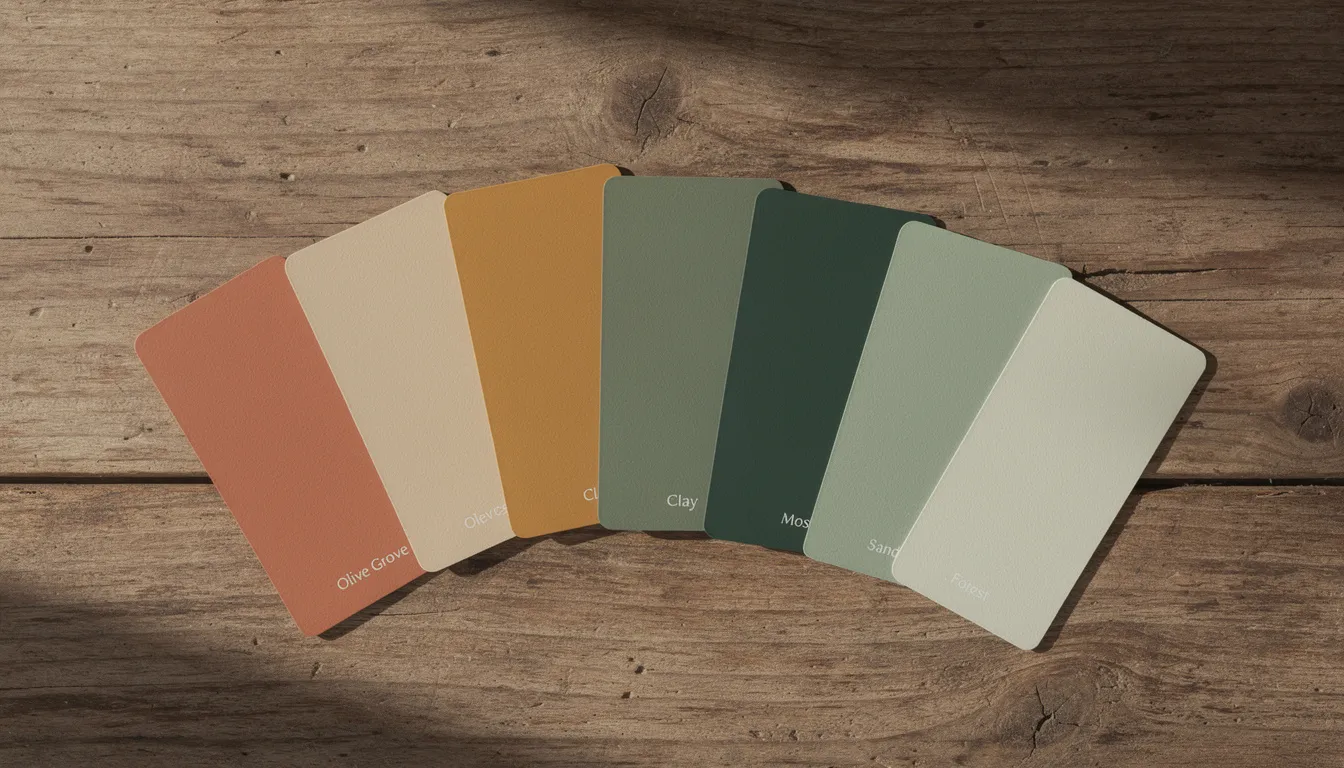
Color Systems for Shopify Stores
Start with a simple palette:
- 1 primary brand color (for CTAs, links, key interactive elements)
- 1-2 accent colors (for badges, alerts, secondary elements)
- Neutral grays (for backgrounds, dividers, body text)
Assign each color a specific role in your user interface:
Color Role | Usage Examples |
|---|---|
Primary | Add to Cart buttons, primary links, selected states |
Accent | Sale badges, notification dots, hover states |
Neutral Light | Page backgrounds, card backgrounds |
Neutral Dark | Body text, headings, footer |
Example palette for a nature-focused brand:
- Primary: Forest Green (#2D5A3D)
- Accent: Warm Terracotta (#C67B4E)
- Light Neutral: Warm White (#F8F6F3)
- Dark Neutral: Charcoal (#2C2C2C)
In Shopify’s theme settings, map these to the appropriate color fields so they propagate consistently across all pages. Test button colors against backgrounds—a beautiful green becomes unusable if it doesn’t have sufficient contrast.
Typography Choices and Hierarchy
Use 1-2 typefaces maximum. One for headings (can be more distinctive) and one for body text (must be highly legible). Many designers successfully use a single versatile family with multiple weights.
Choose fonts already available in modern shopify themes or Google Fonts to avoid performance penalties from loading custom typefaces. System fonts like -apple-system, BlinkMacSystemFont, and Segoe UI load instantly and work beautifully for body copy.
Build a clear type scale and apply it consistently:
Element | Size (Desktop) | Size (Mobile) | Weight |
|---|---|---|---|
H1 | 40-48px | 28-32px | Bold |
H2 | 28-32px | 22-26px | Semibold |
H3 | 20-24px | 18-20px | Semibold |
Body | 16-18px | 16px | Regular |
Small/Caption | 14px | 14px | Regular |
Prioritize legibility over style. Avoid:
- Ultra-thin weights that disappear on LCD screens
- Heavily condensed fonts that strain reading
- All-caps for anything longer than short labels
- Decorative scripts for body text or product descriptions
On product pages, use typography to create hierarchy: larger bold title, medium-weight price with clear formatting, lighter-weight supporting details for specifications and care instructions.
High-Quality Images and Video
Product images are often the deciding factor for online purchases. Customers can’t touch or try your products, so photography must do the heavy lifting.
Consistency requirements:
- Same angles across all products (front, side, detail, scale)
- Consistent lighting and background treatment
- Uniform aspect ratios within collections (4:5 or 1:1 work well)
For each product, include:
- Multiple angles of the product itself
- At least one lifestyle image showing the item in context
- One scale image (item next to a familiar object or held in hand)
Technical specifications for high quality images:
- Hero images: 2000px max dimension, under 400KB
- Product images: 1200px max dimension, under 200KB
- Format: WebP with JPEG fallback (Shopify handles this automatically in many themes)
- Compress using tools like Squoosh or TinyPNG before upload
For homepage videos:
- Keep under 10-15 seconds
- Muted by default with play controls visible
- Provide static image fallbacks for slower connections
- Don’t autoplay on mobile if it significantly impacts site speed
Optimizing the Shopping Journey: Collections, Product Pages, and Search
The pages between “browsing” and “buying” determine your conversion rates. Every ecommerce site shares the same fundamental challenge: reducing friction from discovery to checkout while answering all purchase-critical questions. Achieving good ux is essential for a seamless shopping journey, ensuring your website is easy to navigate, loads quickly, and provides an enjoyable experience that encourages customers to return.
Map specific user paths before designing:
- “New visitor from Instagram → collection → product → cart”
- “Returning customer → search → product → cart”
- “Email subscriber → sale page → multiple products → cart”
Each path reveals different needs. A new visitor needs more context and trust signals. A returning customer needs speed and easy navigation to their favorites. Design templates that serve these varied journeys.
Well-designed website pages help create an engaging experience, reinforcing brand identity and driving performance metrics such as sales and customer retention.

Collection Page Layout and Filters
Collection pages are where browsing becomes shopping. A clean, scannable layout helps users find products quickly; a cluttered one makes them leave.
Grid layout best practices:
- Consistent image ratios (4:5 or 1:1) prevent jumpy rows
- 3-4 products per row on desktop, 2 per row on mobile
- Adequate spacing between cards (16-24px)
- Product title, price, and key variant options visible without clicking
Filter and sort placement:
- Desktop: Above or left sidebar, always visible
- Mobile: Sticky filter button that opens a drawer
- Include a “clear all filters” option that’s easy to find
Essential filters depend on your product catalog but typically include:
- Size/dimensions
- Color/finish
- Price range
- Material
- Availability (in stock)
Show 12-24 products per page. More than that slows page speed; fewer frustrates browsing. Provide clear pagination or infinite scroll with “Back to top” controls on mobile.
Write concise but descriptive collection intros that align with both SEO and user intent. “Outdoor dining sets built for Colorado’s dry climate” serves both search engines and customers better than “Shop all dining.”
High-Performing Product Page Structure
The product page is where purchase decisions happen. Structure it to answer questions in the order customers think about them.
Above the fold (what’s visible without scrolling):
- Product title and breadcrumb navigation
- Price (with compare-at price if on sale)
- 3-4 bullet points highlighting key benefits
- Variant selectors (size, color, etc.)
- Add to Cart button (prominent, contrasting color)
- Core reassurance: shipping timeline, return policy, stock status
Layout recommendations:
- Desktop: Two-column layout (image gallery left, details and CTA right)
- Mobile: Stacked layout with sticky Add to Cart bar that appears on scroll
Below the fold, provide:
- Detailed product descriptions with materials, dimensions, and specifications
- Care instructions where relevant
- Shipping and warranty information in more detail
- Customer reviews with star ratings and review count
- User-generated content gallery if available
Social proof on product pages significantly reduces purchase hesitation. Display:
- Average star rating prominently near the price
- Total number of reviews
- 2-3 highlighted review snippets
- Photo reviews if available
Include contextual cross-sells to boost average order value:
- “Pairs well with…” or “Complete the set”
- “Customers also bought…”
- Related items from the same collection
Shopify’s native related products or dedicated shopify apps can power these recommendations based on customer data and purchase history.
Search and Product Discovery
The search functionality serves high-intent visitors who know what they want. Improving search UX often yields quick conversion lifts because these users are closest to purchase.
Implementation priorities:
- Prominent search bar or icon on all pages (especially mobile)
- Autocomplete suggestions that appear after 2-3 characters
- Typo tolerance (so “chiar” still finds “chair”)
- Product thumbnails in search results dropdown
Search results pages should reuse the same card layout and filters as collection pages. Consistency reduces cognitive load—visitors already know how to navigate the grid.
Use Shopify analytics to track search queries regularly:
- Identify common queries that return zero results
- Add missing synonyms to product tags (e.g., “sofa” and “couch”)
- Discover collection ideas based on how customers actually search
- Flag terms that suggest products you should consider adding
For stores with large product catalogs, consider search apps that offer advanced features like synonym management, merchandising controls, and personalized results.
Creating a Clear Value Proposition
A compelling value proposition is the cornerstone of any successful Shopify website. It’s the first thing potential customers should notice when they land on your store, and it should instantly communicate what sets your brand apart in a crowded ecommerce landscape. Your value proposition should be concise, memorable, and tailored to your target audience—whether that’s through a bold headline, a succinct paragraph, or a short, engaging video.
For example, if your store specializes in sustainable outdoor living products, your value proposition might highlight eco-friendly materials, water-wise design, or a commitment to supporting local environmental initiatives. This not only differentiates your store from competitors but also resonates with customers who share your values.
To maximize impact, place your value proposition in prominent areas of your Shopify website, such as the homepage hero section or at the top of key collection pages. Leverage Shopify apps to create dynamic content blocks, interactive banners, or even video pop-ups that reinforce your message. By clearly articulating your unique benefits, you attract the right target audience, build trust, and lay the foundation for long-term brand loyalty.
Ultimately, a strong value proposition is essential for driving ecommerce sales. It helps potential customers quickly understand why they should choose your store, increasing the likelihood of purchase and setting the stage for ongoing growth.
Building Trust and Credibility
Trust is the currency of every successful online store, and your Shopify website should be designed to earn it at every step of the customer journey. Start by incorporating trust signals that are proven to significantly boost customer confidence: display security badges near payment fields, showcase authentic customer testimonials, and use high-quality product images that accurately represent your offerings.
A mobile friendly, responsive design is non-negotiable—customers expect your ecommerce site to look and function flawlessly on all mobile devices. Choose Shopify themes that prioritize responsive design and make it easy to add social proof, such as customer reviews and star ratings, directly to product pages. These elements reassure new visitors that your brand is reputable and that others have had positive experiences with your store.
Streamline the checkout process by offering guest checkout and integrating secure payment gateways, reducing friction and making it easier for customers to complete their purchase. Keep your product catalog up to date, ensure product descriptions are clear and accurate, and provide excellent customer service to address any questions or concerns.
By consistently delivering on these trust-building practices, your Shopify store will not only attract new customers but also encourage repeat business, helping your brand stand out in the competitive ecommerce landscape.
Streamlining Checkout and Payment
A seamless checkout and payment experience is essential for converting browsers into buyers on your Shopify store. Complicated or lengthy checkout processes are a leading cause of cart abandonment, so it’s crucial to design a user friendly, efficient system that works flawlessly across all devices—especially for mobile shoppers.
Utilize Shopify apps that enable one-click checkout, integrate multiple payment gateways, and offer guest checkout options to cater to a wide range of customer preferences. Your shopify store design should prioritize clarity and simplicity, guiding customers through each step with minimal distractions. Make sure that high quality images and comprehensive product descriptions are present throughout the checkout process, so customers feel confident in their purchase decisions.
Optimizing your ecommerce site for mobile devices is particularly important, as more customers are completing purchases on their phones. Responsive design, large touch targets, and fast-loading pages all contribute to a smoother customer journey and higher conversion rates.
Regularly analyze customer data and feedback to identify pain points or drop-off areas in your checkout flow. By continuously refining your process and leveraging the right Shopify apps, you can reduce friction, increase ecommerce sales, and deliver a superior customer experience that keeps shoppers coming back to your store.
Performance, Mobile-First, and Technical Best Practices
Speed and mobile usability are non-negotiable in 2025. The majority of Shopify traffic comes from smartphones on variable network connections. Optimizing your site for mobile users is crucial for both user experience and search engine rankings. A responsive design ensures that your Shopify store adjusts and looks impeccable whether viewed on a desktop, tablet, or smartphone. A mobile-first design ensures that your Shopify website functions seamlessly on mobile devices, which is crucial for user experience. A beautiful site that takes 6 seconds to load will underperform a simpler site that loads in 2 seconds.
Establish a performance budget before adding heavy apps or complex scripts:
- Target: Under 2.5 seconds Largest Contentful Paint (LCP) on 4G
- Total page weight: Under 3MB including images
- JavaScript payload: Minimize third-party scripts
When implementing responsive design, always test your Shopify store across various screen sizes to ensure consistent functionality and appearance on all devices.
Thoughtful theme selection and minimal app usage often outperform heavy customization. A well-coded Shopify 2.0 theme with restraint delivers better results than a legacy theme buried under customizations.